One place for field crews, supervisors, and the office to see the same job.
A new job came in overnight. Four workers. One excavator. On site by 8:00 AM.
The dispatcher didn't open a system. He started making phone calls.
Supervisors confirmed available workers over WhatsApp. Equipment location was checked through paper logs because no one knew where the excavator had last been assigned. Workers wrote down their hours at the end of the day, leaving payroll to reconcile clock-in and clock-out discrepancies later.
The people doing the work weren't technical. If recording something took longer than a quick call or a note on paper, they skipped the system altogether.
Everyone had information. Nobody had the same information.
Dispatch, attendance, equipment, and payroll all depended on manual updates, creating delays, duplicated work, and costly mistakes every day.
HeavyOps replaced those disconnected processes with one system crews could actually use in the field.
Managing field operations wasn't just a scheduling problem. It was a coordination problem.
Every department solved its own problem. Nobody had the same picture of what was happening.
Instead of jumping into modules, I wanted to understand how work actually moved through a normal day.
I worked with the CEO and talked to supervisors and field workers about dispatch, attendance, equipment handoffs, and how payroll data got collected.
The same themes appeared repeatedly:
Job assignments happened through calls and WhatsApp because there wasn't a trusted scheduling system.
Workers often submitted hours long after work finished, leading to manual corrections before payroll could be processed.
Managers knew what equipment they owned but struggled to know exactly where it was or who was responsible for it.
Learning records existed separately from scheduling, so supervisors couldn't easily verify whether someone was qualified before assigning specialised work.
Across interviews and workflow mapping, one thing kept coming up.
The problem wasn't dispatch. It wasn't payroll. It wasn't equipment. It was coordination.
Every workflow depended on someone remembering to update someone else. That's when delays, duplicated work, and manual reconciliation started.
That changed the product direction. Instead of separate features, we built one experience centred on the worker.
Software people could use while working. Not sitting behind a desk.
Standing outdoors. Wearing gloves. Walking around machinery. Often with poor network coverage.
Every tap had to save time, not add to it.
Instead of treating Dispatch, Payroll, Equipment, Learning, and Attendance as separate products, I designed them around one job workflow.
Supervisors assign work from one shared schedule based on worker availability, role, and location instead of making multiple phone calls.
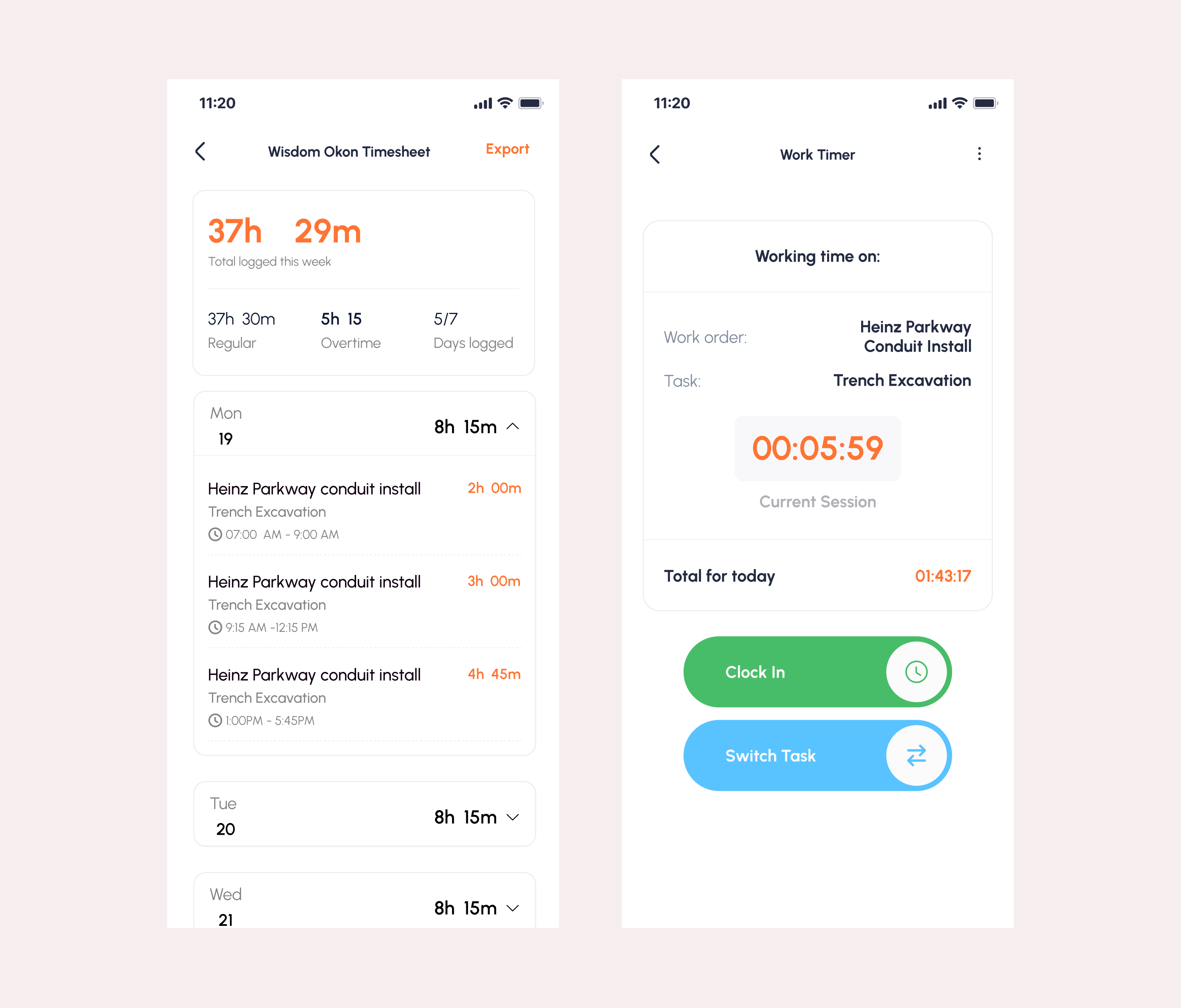
Workers clock in and out directly from their mobile device, creating more reliable attendance records for payroll.
Daily activities, inspections, and follow-up work remain attached to the job instead of disappearing inside chat conversations.
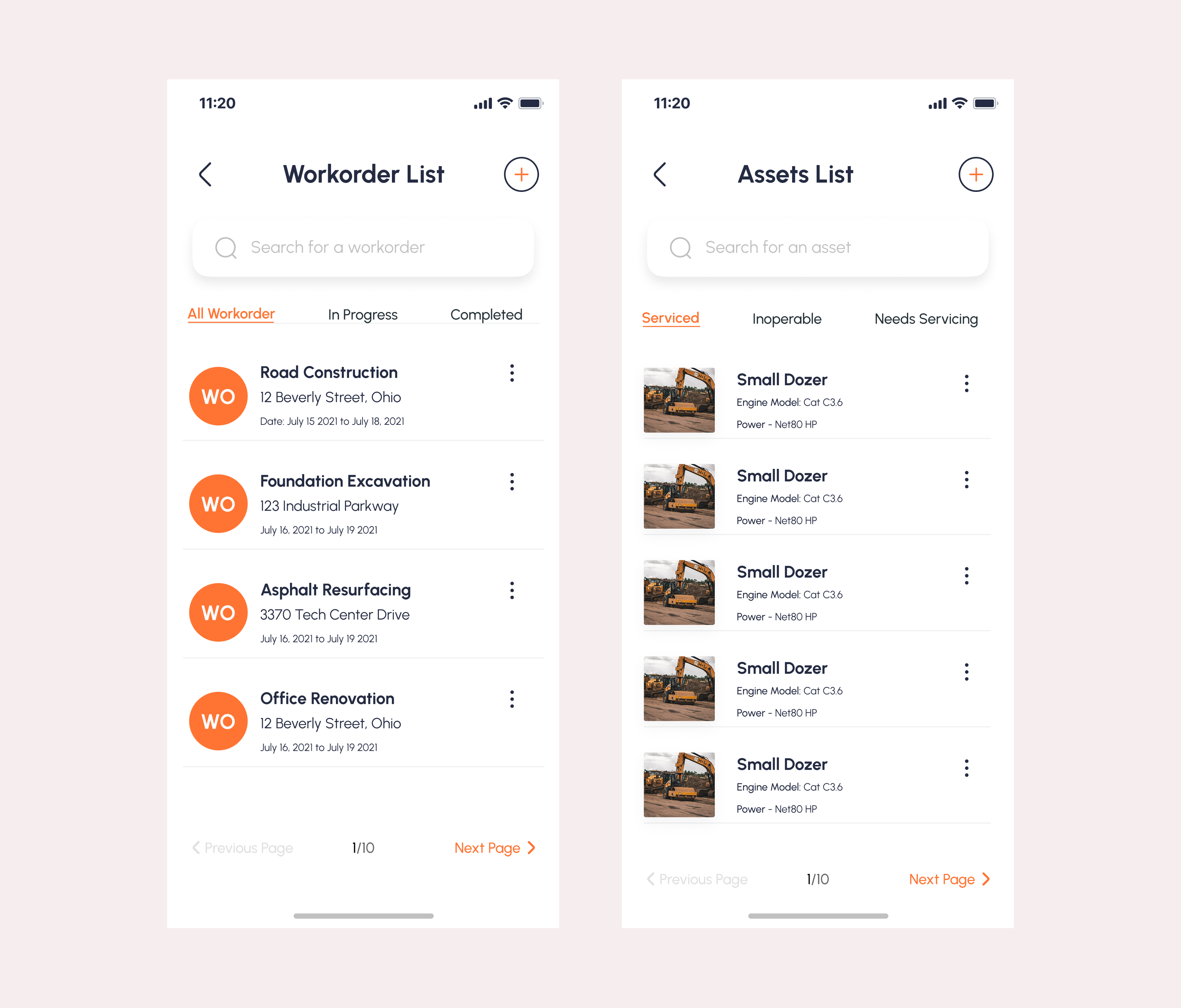
Equipment travels with the job assignment, giving supervisors visibility into where assets are being used and who is responsible for them.
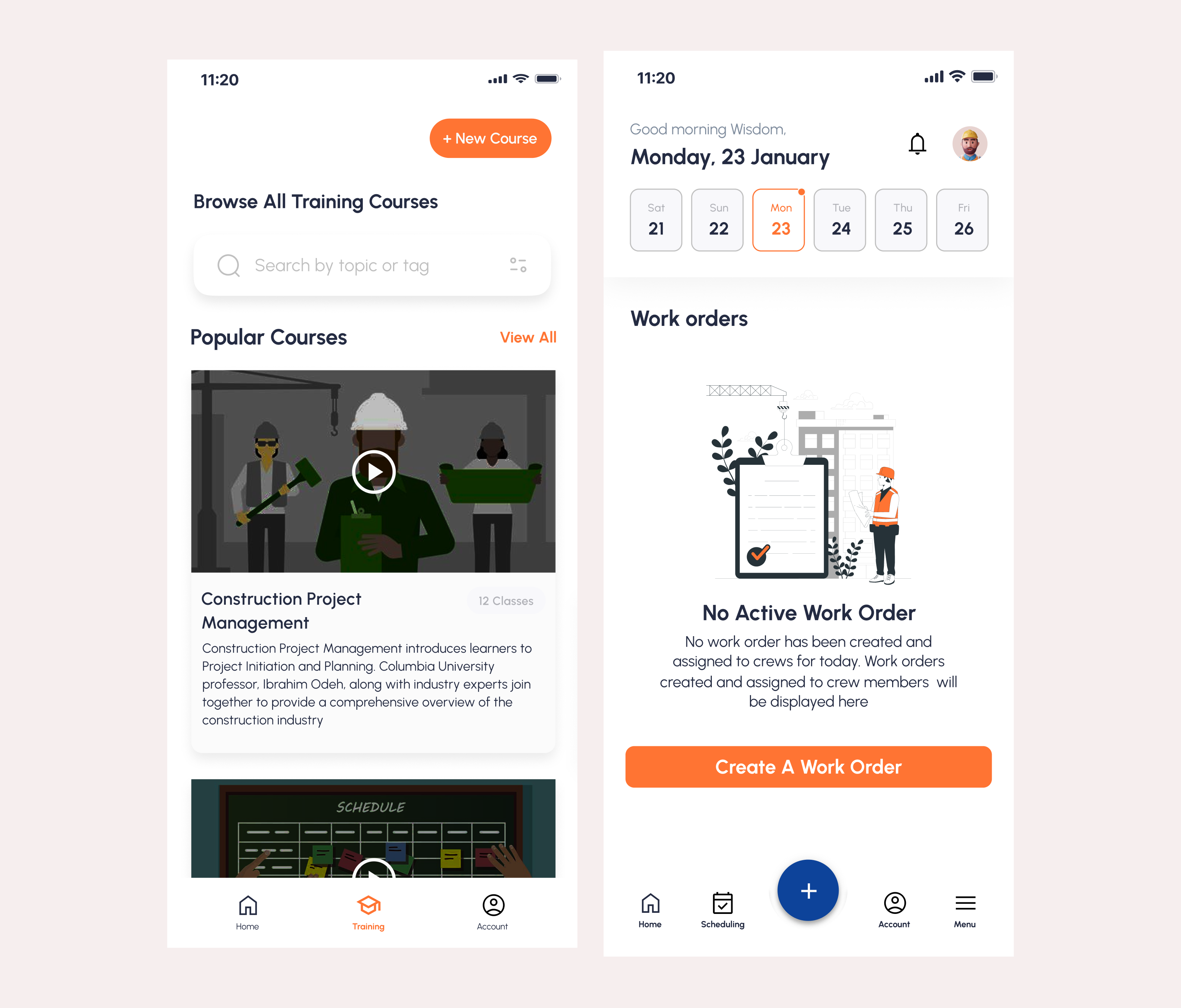
Training and certifications live alongside the worker profile, making qualification checks part of the scheduling process instead of an afterthought.
HeavyOps wasn't built to replace paperwork. It was built to cut the cost of bad coordination.
Supervisors coordinated crews from a shared schedule instead of calls and group chats.
Clock-in and clock-out happened closer to when work actually happened, so payroll had fewer corrections to make.
Assignments linked to jobs and workers, so asset use was easier to track.
Training records showed up during scheduling, so supervisors could check qualifications before assigning specialised work.
Dispatch, attendance, equipment, tasks, and learning ran off the same workflow. Less duplicated effort, fewer phone calls, more time on actual work.
Every feature looked useful on its own. The real value was connecting them. When scheduling, attendance, equipment, payroll, and learning share the same context, teams stop coordinating by phone and start working from the same picture of the job.
That was the problem HeavyOps was solving.
↑ Back to work